Topic: Agent security
What did the agent do last Tuesday?
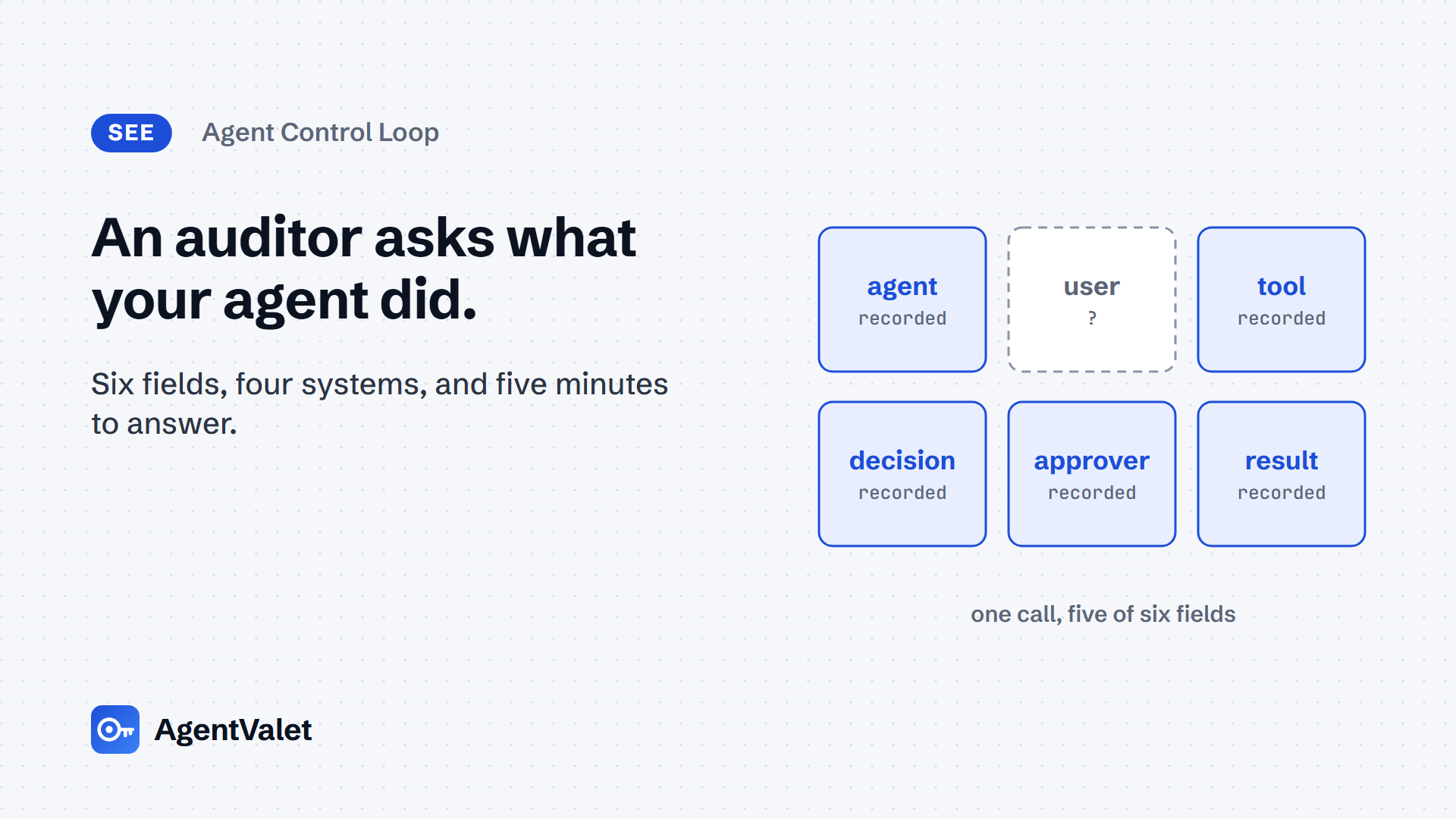
Pick one tool call an agent made yesterday and name the agent, the user, the tool, the decision, the approver and the result in five minutes. How to build the audit trail that passes, on open source, Entra or AgentValet.

By Edwin Ashdown13 minute read
In this post 11 sections
The Agent Control Loop, stage 4 of 5: See. Piece 2 of 14. Piece 1 was Stop: your agents have no off switch.
Verified against: MCP 2026-07-28 · ID-JAG draft-04 (expires 22 Nov 2026) · Microsoft Entra, Microsoft Graph and Azure Monitor docs as of 27 Oct 2026 · OpenTelemetry GenAI agent spans,
mainbranch as of 27 Oct 2026 (Development status, no tagged release) · agentgateway standalone docs (latest) as of 27 Oct 2026 · AWS AgentCore Gateway CloudTrail docs and Google Cloud Agent Identity overview as of 27 Oct 2026
Who this is for and the agent types it covers
This guide is for whoever has to answer the auditor, the incident lead or the customer who asks what an agent did. That is usually a security operations lead, an IAM engineer or the agent’s own developer. It assumes the agent already has an identity of its own; if it borrows a person’s account, start with Piece 3 (Know).
It covers all five agent identity types in the Cloud Security Alliance’s Agent Identity Governance Framework v1 draft. The hard cases are the Copilot type, which acts for a signed-in user, and the Orchestrator, whose sub-agents each add a hop to the trail. An Autonomous agent with no user is the easy case: the “for whom” field is “nobody”, and the log should say so.
Most teams cannot do this today. In Gravitee’s State of AI Agent Security 2026 (n=919 executives and practitioners), organisations actively monitor or secure only 47.1% of their agents on average, and only 7.7% audit agent activity daily.
The question and the metric
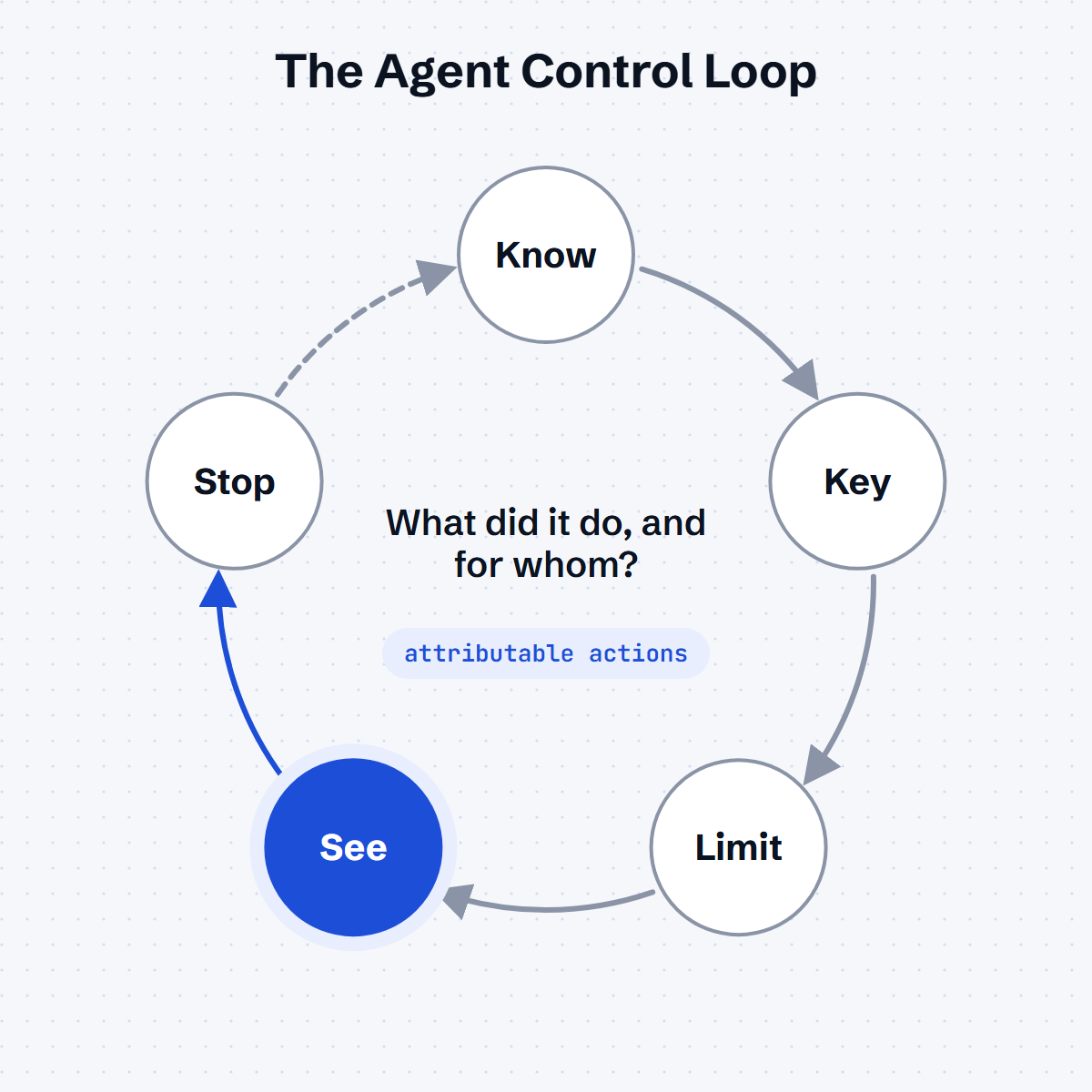
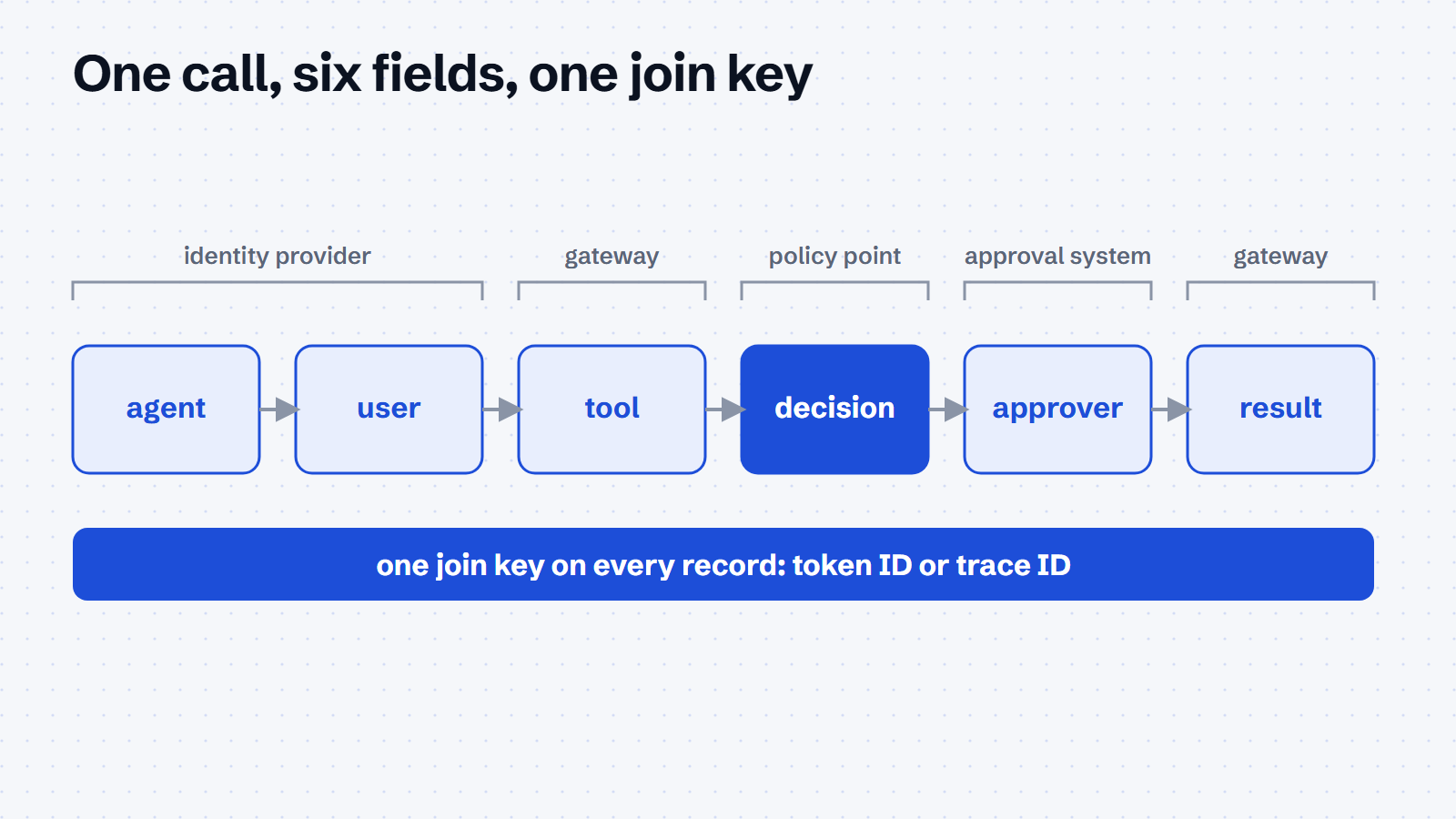
See asks one question: can we reconstruct what happened? Our test is the five-minute question: pick one tool call an agent made yesterday, and within five minutes, using logs alone, name six things:
- Agent: which agent identity made the call.
- User: on whose behalf, or “none”.
- Tool: which server and tool, with its arguments.
- Decision: which policy allowed it.
- Approver: who approved it, if it needed approval.
- Result: what came back, or the error.
The metric is attributable actions: of 20 tool calls sampled at random, the percentage where you can name all six fields. Partial answers score zero. Report the field you most often miss alongside the number, because that field is the fix.
The Five Eyes guidance Careful adoption of agentic AI services (ASD’s ACSC, CISA, NSA, the Canadian Cyber Centre, NCSC-NZ and NCSC-UK; April/May 2026) sets the bar higher than most logging does. It says to “monitor all agent operations, including internal processes, not just the inputs and outputs”. It also recommends recording which tools an agent used, logging identity and privilege changes, isolating agents so they cannot write to their own logs, and holding requests to delete audit records until a human approves them.
What to do
Do these six things in order. Each works with any stack.
- Pick the join key. Choose one identifier that appears in every log the call touches: the identity provider’s token identifier, the gateway’s trace ID, or both. Without a shared key, the six fields live in three systems and nobody can join them in five minutes.
- Record the agent and the user separately. The agent identity goes in one field and the delegating user in another. A log line that names only one of them fails the test.
- Log at the gateway, not only in the agent. The gateway sees every tool call whatever the agent’s code does. Agent-side traces add the “why”, but they are written by the thing you are auditing.
- Record the decision and the approver next to the call, not in a separate approval system with no shared key.
- Ship logs somewhere the agent cannot write. That means a separate store, separate credentials and a retention period set by policy.
- Run the five-minute test monthly on 20 random calls, and record the score and the most-missed field.
Route 1: open source
The open-source route puts agentgateway in front of the agent’s MCP servers and sends its traces and access logs to an OpenTelemetry collector. The gateway records the caller’s identity and the tool on every call. The agent framework adds OpenTelemetry GenAI agent spans if it supports them.
Pins: agentgateway v1.7.0 (stable since 27 Oct 2026; the kit pins it) · OpenTelemetry Collector Contrib 0.146.0 (the version in agentgateway’s own example) · OpenTelemetry GenAI semantic conventions, pinned to a commit on main because the repo has no tagged release and its README’s schema URL section reads “TODO”. Licences: agentgateway and the collector are Apache-2.0.
Download the kit
The kit is on GitHub at AgentValet/agentvalet-examples/agent-audit-otel. It has the gateway, collector and Jaeger setup, a token issuer and MCP client for the lab, a script that answers the five-minute question from the access log, the Entra query pack and the scoring sheet. It runs without AgentValet and is MIT-licensed.
git clone https://github.com/AgentValet/agentvalet-examples
cd agentvalet-examples/agent-audit-otel
./selftest/run.sh
The self-test brings the lab up and makes real tool calls as two agents, one of them refused by policy. It then checks that each call can be reconstructed from the logs alone: all six fields in the access log, the same call in Jaeger by trace ID, and a log volume nothing but the collector can write. The Entra queries are written from Microsoft’s documentation and haven’t yet been run against a live tenant.
Step 1: authenticate every call at the gateway
agentgateway records identity only if it authenticates the caller. Its span attribute reference lists jwt.sub (the sub claim, under JWT authentication) and src.identity (the client certificate identity, under mTLS) as conditional attributes. On MCP traffic, the gateway adds mcp.method.name, mcp.target, mcp.session.id and gen_ai.tool.name. Turn JWT or mTLS authentication on first. A call without it is anonymous in every log downstream.
Step 2: export traces to a collector
Tracing is a frontendPolicies block (set up traces). randomSampling defaults to false, so set it explicitly:
# yaml-language-server: $schema=https://agentgateway.dev/schema/config
frontendPolicies:
  tracing:
    host: localhost:4317
    protocol: grpc
    randomSampling: true
agentgateway’s MCP observability guide gives a working collector and Jaeger setup from its examples/mcp-telemetry directory. In agentgateway v1.7.0, each MCP tool call shows up in Jaeger as a tools/call <target>_<tool> operation, for example tools/call everything_echo. Older docs call it call_tool.
Step 3: put the six fields in the access log
The default access log line already carries the tool name, the MCP session and the trace ID. Arguments, results and errors are not in it by default. agentgateway exposes them as CEL variables that you add with an access-log policy:
frontendPolicies:
  accessLog:
    filter: 'mcp.methodName == "tools/call"'
    add:
      tool_args: 'mcp.tool.arguments'
      tool_result: 'mcp.tool.result'
      tool_error: 'mcp.tool.error'
The CEL variables reference binds jwt in the logging stage, so you can add the delegating user from whichever claim your identity provider puts it in. Providers differ, so check the claim name in one of your own exchanged tokens. The access log docs also show logs exported over OTLP to the same collector. Arguments and results can hold personal data, so decide the retention period before you add them.
Step 4: add agent-side spans where the framework supports them
The OpenTelemetry GenAI agent spans define invoke_agent {gen_ai.agent.name} and execute_tool {gen_ai.tool.name} spans, with gen_ai.agent.id, gen_ai.conversation.id and gen_ai.tool.call.id. Tool arguments and results are opt-in. The whole document has Development status, so every gen_ai.* attribute can still change, and it defines no attribute for the end user. Carry the user in your own attribute, and pin the commit you built against.
Step 5: answer the question
In Jaeger, search the agentgateway service’s tools/call <target>_<tool> operation by gen_ai.tool.name and time range, open the trace, and read jwt.sub, the tool, the arguments and the result. Follow the trace ID into the access log for the fields the span does not carry. If the gateway makes a policy call (external authorisation, guardrails or token exchange), it appears as a child span of the request. That is your decision field.
Tamper resistance is a pattern, not a product, in this route. A hash-chained receipt, where each record carries a hash of the one before, makes deletion visible. asqav and Nobulex are prior art for the pattern. Neither is a free dependency: asqav’s SDK is Elastic License 2.0 with signing on its own service, and Nobulex describes itself as research. The minimum is a log store the agent’s credentials cannot write to or delete from.
Route 2: cloud-native (Microsoft Entra Agent ID)
In Entra, the six fields are spread across three Log Analytics tables. You need to send all three to one workspace before the first incident, not after it.
Route the logs. In diagnostic settings, send AuditLogs, ServicePrincipalSignInLogs, NonInteractiveUserSignInLogs and MicrosoftGraphActivityLogs to one Log Analytics workspace (logs available for streaming). Creating the diagnostic setting needs the Security Administrator role. Microsoft Graph activity logs also need an Entra ID P1 or P2 licence (Graph activity logs). Add RiskyAgents and AgentRiskEvents if you use ID Protection for agents.
Find the agent’s sign-ins. Agent sign-ins use the agentSignIn event type and can appear in any of the four sign-in log types, because agents sign in with app-only or delegated permissions (Agent ID logs). In the admin center, filter by Agent type and Is Agent. In Log Analytics, the AADServicePrincipalSignInLogs table has an Agent column (“Details of agentic sign-in”):
AADServicePrincipalSignInLogs
| where TimeGenerated > ago(1d)
| where isnotempty(Agent)
| project TimeGenerated, ServicePrincipalName, ServicePrincipalId,
          ResourceDisplayName, ResultType, ConditionalAccessStatus,
          CorrelationId, UniqueTokenIdentifier, Agent
Microsoft doesn’t document the structure of the Agent column, so open a few rows in your own workspace before you build on it.
Join the token to what it did. Microsoft documents the join from Graph activity to sign-ins as SignInActivityId == UniqueTokenIdentifier. That gives you agent identity, scopes or roles, request URI and status code on one row:
MicrosoftGraphActivityLogs
| where TimeGenerated > ago(1d)
| join kind=inner (AADServicePrincipalSignInLogs | where isnotempty(Agent))
    on $left.SignInActivityId == $right.UniqueTokenIdentifier
| project TimeGenerated, ServicePrincipalName, AppId, UserId,
          RequestMethod, RequestUri, ResponseStatusCode, Roles, Scopes
For an agent acting for a user, repeat the join against AADNonInteractiveUserSignInLogs. In that flow the token represents the user while also identifying the calling agent (Conditional Access for agents). Microsoft doesn’t say which column carries the agent in that table, so check a row in your tenant.
Lifecycle changes. Microsoft’s two pages differ on how easily you can spot agents here. The Agent ID logs page says to check the agentType property on initiatedBy, performedBy and targetResources, where any value other than notAgentic means an agent was involved. The FAQ says audit logs don’t distinguish agent identities by default, and that operations initiated by agent identities appear as service principals. Use agentType where it is present, and fall back to object IDs and the sign-in correlation ID where it is not.
What Entra cannot see. These logs cover Entra-issued tokens and Microsoft Graph calls. A call to a non-Microsoft MCP server or SaaS API with an API key leaves no trace here, so you still need the gateway log from Route 1 for those.
Route 3: If you’d rather not build this
AgentValet logs every brokered call on the broker side, because it holds the upstream credential and the agent does not. The fields come from its live tool surface as of 27 Oct 2026:
- Agent: each call runs under the agent’s own AgentValet identity.
- User:
use_platformtakes an optionalcallerfield for the human the call is for, either as a verified assertion from a registered identity provider or as an asserted{source, id}honoured only where the platform allows it. - Tool:
use_platformnames the platform, endpoint, method and scope. - Decision:
authzen_evaluatereturns the decision and reason (approved,denied,revoked,scope_not_granted). - Approver and result:
use_platformtakes areasonthat is shown to the human approver.list_my_pending_actionsreturns pending approvals, plus those completed in the last 24 hours, with status,executed_at, a result summary and any execution error. - Agent’s own account:
report_self_diagnosticlets the agent lodge a report with acorrelation_idthat stitches it to the broker-side audit row.
The agent-side view covers 24 hours. For anything older, the owner opens Agents > the agent > Activity in the AgentValet dashboard, which goes back 90 days. That is where the five-minute test runs on this route. AgentValet sees only the calls that go through it; Graph calls made directly with Entra tokens still need Route 2. If your agents work only inside Microsoft 365, Entra’s logs with Agent 365 are the better home for this.
Done when
- One join key appears in every log a tool call touches, and you have written down which one it is.
- Every logged tool call names the agent and the user (or “none”) in separate fields.
- Gateway logs carry tool, arguments (subject to your retention policy), decision and result.
- Logs ship to a store the agent’s credentials cannot write to or delete from.
- The five-minute test has run on 20 random calls, with the score and the most-missed field recorded.
- The query that answers it is saved where the on-call engineer can find it.
Gotchas
- Graph activity logs arrive late. Microsoft says most events arrive within 30 minutes and some take up to 2 hours. For calls from the last hour, rely on the gateway log, not Graph.
- Two Microsoft pages disagree on agent flags in audit logs. Use
agentTypewhere you see it, and object IDs where you don’t. - Graph activity logs don’t separate agents either. The FAQ says requests from agent identities are logged as applications, with the agent identity in the
appIDcolumn. Join to sign-in logs to tell them apart. - Sampling is off by default in agentgateway.
randomSamplingdefaults tofalse. Unsampled calls still reach the access log, but not the trace view. - Arguments are opt-in everywhere. The OpenTelemetry agent spans and agentgateway’s default log both leave tool arguments out. Adding them is a privacy decision as well as a logging one.
- The OpenTelemetry GenAI conventions are Development status. Pin the commit; expect renames.
- AWS data events are off by default. AgentCore Gateway’s
InvokeGatewaydata events must be enabled explicitly, cost extra, and record identity as JWT claims such assubrather than standard AWS identity (Gateway CloudTrail events). - Google’s logs name both identities, but the fields aren’t documented on the overview. The Agent Identity overview says logs show both the agent’s and the user’s identities when it acts for a user. It does not name the audit-log fields. Confirm them in a lab before you build queries.
- Agent-side traces are written by the agent. Use them for the “why”. Use the gateway and identity-provider logs for the record.
Spec watch
- The OpenTelemetry GenAI repo tagging a first release, or publishing a schema URL.
- An end-user attribute added to the GenAI agent spans.
- Microsoft aligning the FAQ and the Agent ID logs page on
agentType, or adding agent flags to Graph activity logs. - An agent-specific Log Analytics table, or the
Agentcolumn’s structure being documented. - agentgateway 1.7 leaving alpha; check that its attribute names are unchanged.
- MCP after 2026-07-28: the spec defines authorisation but no audit record format.
- ID-JAG draft-04 expires on 22 Nov 2026; delegated tokens that carry both identities would simplify the user field.
Sources
Pages opened on 27 Oct 2026:
- Five Eyes: Careful adoption of agentic AI services (ASD PDF)
- Gravitee: State of AI Agent Security 2026 (PDF)
- Microsoft: Agent ID logs · Agent ID FAQ · Logs available for streaming · AADServicePrincipalSignInLogs · Microsoft Graph activity logs · Conditional Access for agents
- OpenTelemetry: GenAI semantic conventions repo · GenAI agent spans
- agentgateway: MCP observability · Set up traces · Span attribute reference · Access logs · CEL variables
- AWS: AgentCore Gateway CloudTrail events
- Google: Agent Identity overview
- MCP: Versioning (current revision 2026-07-28)
- IETF: ID-JAG draft-04
- AgentValet: live MCP tool definitions for
use_platform,authzen_evaluate,list_my_pending_actionsandreport_self_diagnostic, read 27 Oct 2026; the dashboard Activity view (Agents > the agent > Activity, 90 days), confirmed by Edwin Ashdown on 27 Oct 2026
Taken from the Production Pack v1 (verified 25 Oct 2026) and not reopened for this piece: CSA AIGF v1 draft · asqav and Nobulex licence and status (research/09-research-oss-tools.md) · agentgateway version pins.
Changelog
- 27 Oct 2026: first draft, verified against the pages above. Lab results and screenshots pending.
- 27 Oct 2026: added the AgentValet dashboard Activity view (90 days) to Route 3.
- 3 Nov 2026: published.
- 3 Nov 2026: the kit is published on GitHub, with a self-test of the open-source route; Download the kit now links to it. The lab showed that agentgateway v1.7.0 names the span
tools/call <target>_<tool>, notcall_tool, so Steps 2 and 5 now say so, and the pin is now v1.7.0. It also showed that a call the policy refuses is still logged, so the kit records the decision from the gateway’s refusal rather than from a fixed policy name. The Entra queries have not yet been run against a live tenant.