Topic: Identity
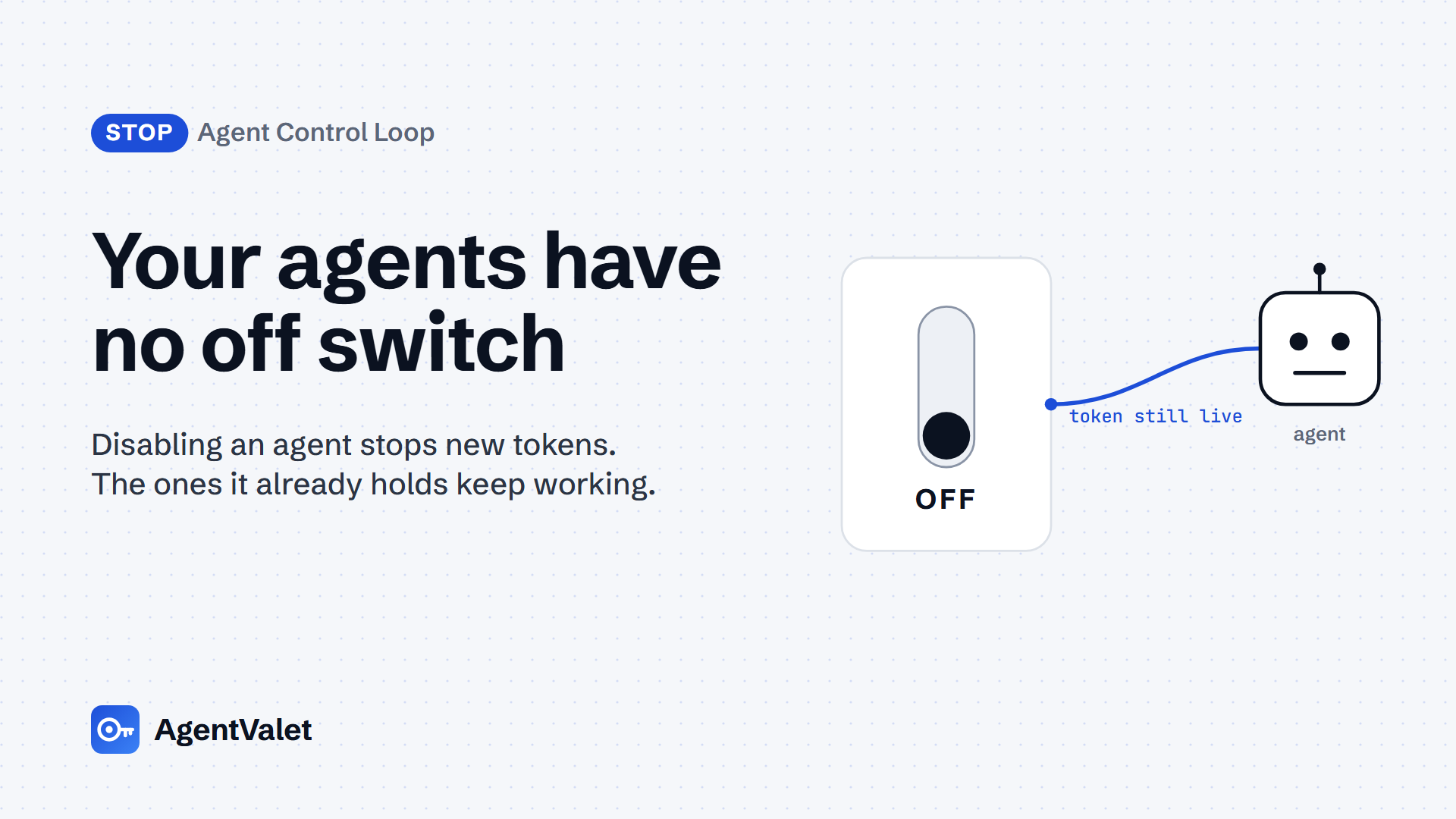
Your agents have no off switch
Disabling an agent stops new tokens. The ones it already holds keep working. How to run a kill-switch drill and measure time-to-revocation, on open source, Entra or AgentValet.

By Edwin Ashdown13 minute read
In this post 11 sections
The Agent Control Loop, stage 5 of 5: Stop. Piece 1 of 14.
Verified against: MCP 2026-07-28 · ID-JAG draft-04 (expires 22 Nov 2026) · Microsoft Entra and Microsoft Graph docs as of 27 Oct 2026 · Keycloak server administration guide 26.8.1 as of 27 Oct 2026 · SPIRE server docs as of 27 Oct 2026 (pinned to SPIRE v1.15.5) · Google Cloud Agent Identity overview (page updated 22 Oct 2026)
Who this is for and the agent types it covers
This guide is for the person who will be asked “can we turn it off?” when an agent goes wrong: a platform engineer, an IAM lead or the CISO who owns the answer. It assumes you already run at least one agent that calls tools or APIs with credentials of its own.
It covers all five agent identity types in the Cloud Security Alliance’s Agent Identity Governance Framework v1 draft: Copilot, Autonomous, Orchestrator, Ephemeral Sub-agent and Agent-as-a-Service. The drill is the same for each. What changes is how many credential paths an agent holds, and an Orchestrator holds the most, because each sub-agent it starts may carry its own.
The question matters because most organisations have not separated agent identity from human identity. In Okta’s AI Agents at Work 2026 survey (published 27 May 2026, fielded March 2026, n=292 executives and 492 knowledge workers), 34% of executives said their organisation always applies the same security controls to AI agents as to human employees. In Gravitee’s State of AI Agent Security 2026 (n=919 executives and practitioners), only 21.9% of respondents treat agents as independent, identity-bearing entities. If an agent has no identity of its own, there is nothing of its own to switch off.
The question and the metric
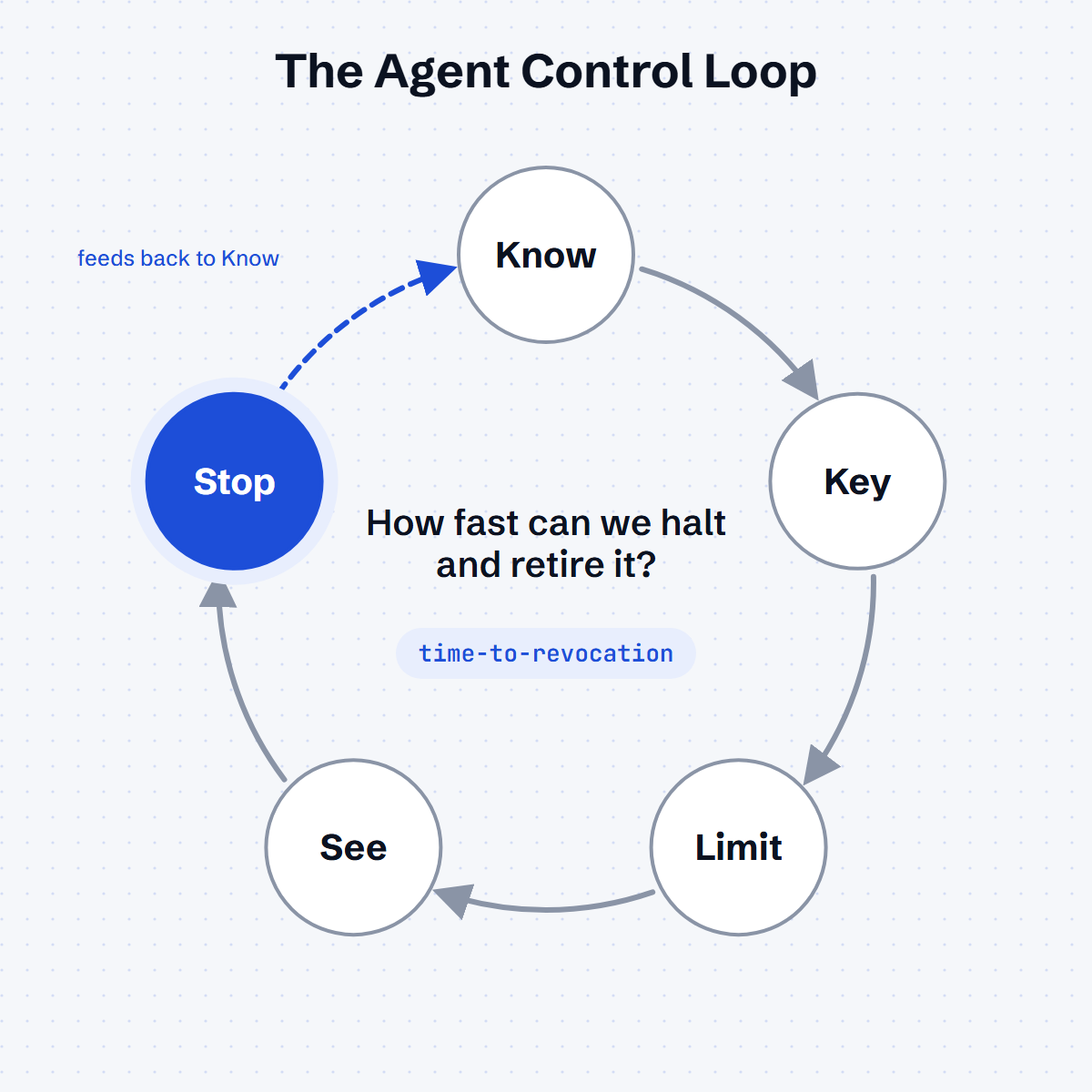
Stop asks one question: how fast can we halt an agent and retire it? The metric is time-to-revocation: the seconds from the revoke command to the first refused call on every credential path the agent holds.
Measure it per path and report the worst one. An agent that loses its identity-provider client in 2 seconds but keeps a valid access token for 75 minutes has a time-to-revocation of 75 minutes.
Government guidance already asks for this. The Five Eyes guidance Careful adoption of agentic AI services (ASD’s ACSC, CISA, NSA, the Canadian Cyber Centre, NCSC-NZ and NCSC-UK; April/May 2026) lists human control points that include “interruption during task execution”. It also recommends monitoring that can trigger alerts or pauses, and credentials that expire when the job ends. The OWASP Non-Human Identities Top 10 ranks Improper Offboarding as NHI1:2025, the top risk.
Akto proposed time-to-revocation as a metric. As far as our research found, nobody has published a repeatable way to measure it. That is what this guide adds.
What to do
Do these six things in order. Each one works with any identity stack.
- List every credential path for one agent. Include identity-provider clients, workload identities, access and refresh tokens, API keys, and the MCP servers or gateways it reaches.
- Name the revoke lever for each path. That might be disabling a client, deleting a key, disabling an identity or removing a server from a gateway.
- Write down the token lifetime on each path. That lifetime is your time-to-revocation unless the resource checks revocation itself.
- Run the drill. Give it one check per path, pull every lever at once, and it logs the first refused call on each path.
- Record the result. The drill writes one row per path to
results.csv. Add the lever you pulled and the token lifetime. - Fix the longest path, then rerun. Shorten its lifetime, move the resource to an introspection or continuous-evaluation check, or remove the path.
Run it on a test agent first. Then run it once a quarter on a production agent with its sponsor present.
Route 1: open source
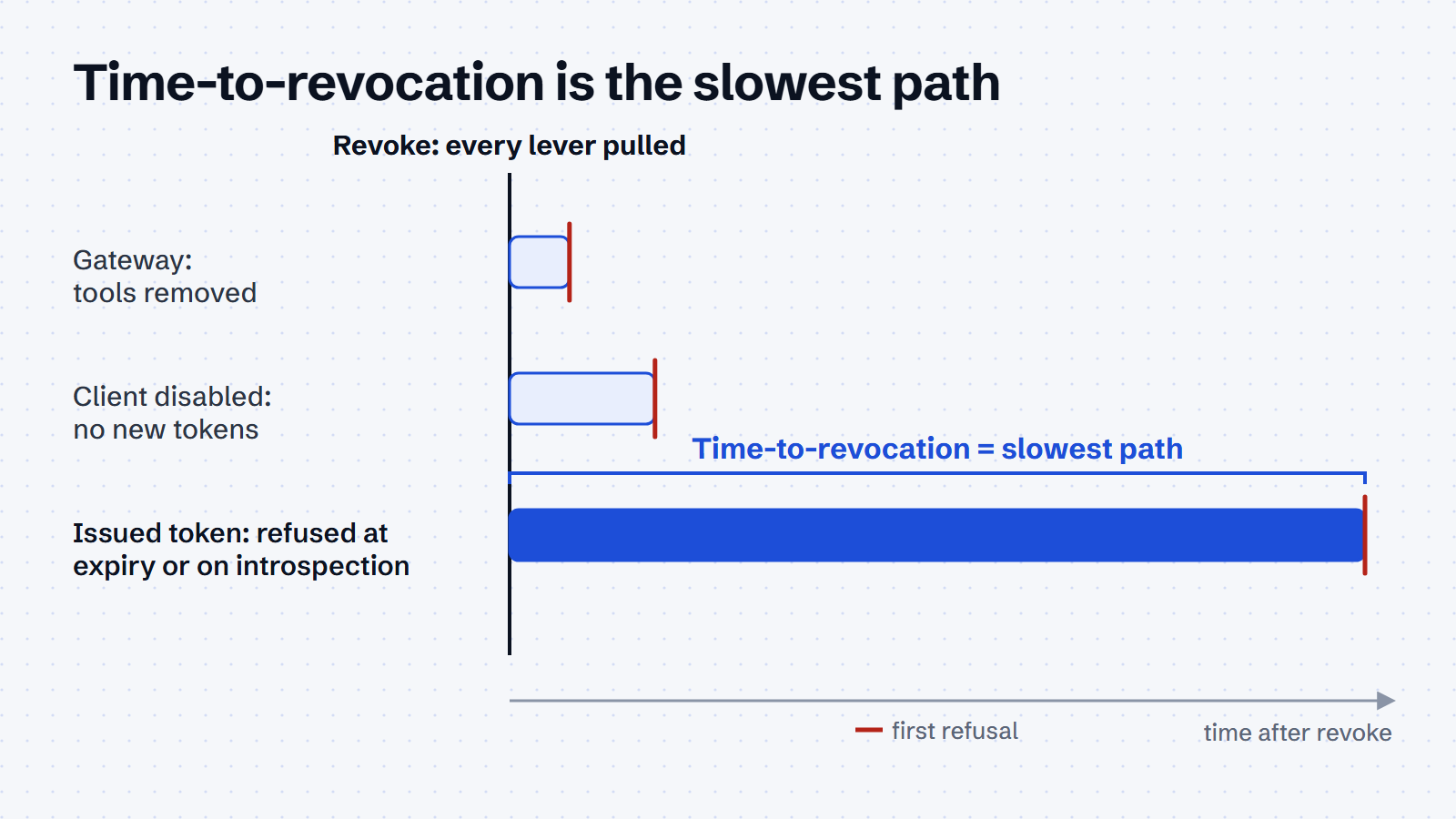
The drill is one script in two flavours: drill.sh for bash and drill.ps1 for PowerShell. It doesn’t care which identity stack you run. For each path you give it a check: a command that succeeds while access works and fails once it is refused. The drill confirms every check passes, waits for you to pull the levers, then polls each check once a second and logs its first refusal. The slowest path is your time-to-revocation.
Download the kit
The kit is on GitHub at AgentValet/agentvalet-examples/kill-switch-drill. It has the drill for bash and PowerShell, recipes for API keys, OAuth clients, Microsoft Entra and AgentValet, a self-test and the runbook. It runs without AgentValet and is MIT-licensed.
git clone https://github.com/AgentValet/agentvalet-examples.git
cd agentvalet-examples/kill-switch-drill
selftest/run.sh   # optional: proves the drill against a local mock identity provider first
Run it
Here is an OAuth client with two paths: the agent’s ability to get a new token, and the token it already holds. Get the token first, then start the drill:
export TOKEN=$(curl -sf -X POST "$TOKEN_URL" -d grant_type=client_credentials \
  -d client_id="$CLIENT_ID" -d client_secret="$CLIENT_SECRET" | jq -r .access_token)

./drill.sh \
  --check 'new-token=curl -sf -o /dev/null -X POST "$TOKEN_URL" -d grant_type=client_credentials -d client_id="$CLIENT_ID" -d client_secret="$CLIENT_SECRET"' \
  --check 'existing-token=curl -sf -o /dev/null -H "Authorization: Bearer $TOKEN" "$API"' \
  --revoke manual --label support-bot
# expected: "refused <path> after <n> s" for each path, then
# "time-to-revocation: <n> s (slowest path: <path>)"
When the drill prompts you, disable the client and revoke the token, then press Enter to start the clock. If your levers are scriptable, pass each as --revoke 'COMMAND' and the clock starts on the first. The drill writes one row per path to results.csv. It exits 1 if a path still works at the timeout (two hours by default), and 2 if a check fails before you revoke anything, because a check that already fails measures nothing.
The kit’s self-test runs the drill against a local mock identity provider. A gateway, a new-token request and an introspected token are refused within a second. A token the resource validates locally keeps working until it expires. That is the shape to expect on a real stack.
Which paths to check
| Path | What refuses it | Worst case |
|---|---|---|
| An API key | deleting or rotating it | until someone finds every copy |
| A new token from the identity provider | disabling the client or identity | seconds |
| A token already issued, validated locally by the resource | nothing but its expiry | the token lifetime |
| A token already issued, checked with the provider on each call (introspection) | revoking the token or disabling the client | seconds |
| A gateway or broker in front of the tools | removing the server or revoking the agent there | seconds, for the calls that go through it |
What the open-source stacks say to expect
Keycloak. The server administration guide is blunt: signing out all sessions “does not revoke outstanding access tokens. Outstanding tokens must expire naturally.” The not-before revocation push reaches only clients that use the Keycloak OIDC adapter, and offline tokens stay valid after logout. Record the realm’s Access Token Lifespan, because that is the tail.
SPIRE. Deleting a registration entry stops new SVIDs, but the SPIRE server docs describe no per-SVID revocation. The defaults are default_x509_svid_ttl 1h and default_jwt_svid_ttl 5m, so a short TTL is the lever.
A gateway. Removing a server from a gateway cuts the agent’s tools even while its tokens are still valid. The Docker MCP Gateway README documents this as docker mcp profile server remove <profile> <server>. It is the fastest lever you have, and it covers only the tools that sit behind the gateway.
Route 2: cloud-native (Microsoft Entra Agent ID)
In Entra you can disable one agent identity, disable a blueprint (which blocks every identity under it) or block agents with Conditional Access. All three stop new tokens. None of them, on the pages we read, promises to kill a token already issued to an agent identity.
Disable one agent identity. Microsoft’s manage agent identities page says disabling blocks the agent’s “access and token issuance”. Administrators do this from the agent identity list in the Entra admin center, which supports multi-select disable. Owners and sponsors can do it from My Account. In Graph, the Update agentIdentity call is beta, and its least-privileged permission is AgentIdentity.EnableDisable.All:
Connect-MgGraph -Scopes "AgentIdentity.EnableDisable.All"
Invoke-MgGraphRequest -Method PATCH `
  -Uri "https://graph.microsoft.com/beta/servicePrincipals/$AgentId/microsoft.graph.agentIdentity" `
  -Body '{"accountEnabled": false}' -ContentType "application/json"
# expected: 204 No Content (lab: confirm accountEnabled is accepted on this endpoint)
The agentIdentity resource lists accountEnabled as a property inherited from servicePrincipal. The update page’s example only changes displayName, so treat the call above as a lab step until you have seen the 204.
Disable the blueprint. The same page says disabling a blueprint blocks its existing agent identities and prevents new ones being created from it. Credentials live on the blueprint, not the identity (agent identities), so this is the wide lever for a compromised credential.
Block with Conditional Access. A policy can target all or selected agent identities, or a blueprint, with a Block grant. Conditional Access for agents requires Microsoft 365 E7, or Agent 365 with at least Entra P1 or Microsoft 365 E3. Policies are evaluated when Entra issues or refreshes a token, so a block does nothing to a token already issued. It does not apply to API-key access, or in tenants with Security Defaults enabled.
Delete. DELETE https://graph.microsoft.com/beta/serviceprincipals/<agent-identity-id> removes the identity (create and delete agent identities). The resource page lists a restore method for recently deleted agent identities, so delete is how you retire an agent once the drill is over, not the drill’s lever.
The tail you are measuring. Entra’s configurable token lifetimes page puts the default access token lifetime at a random 60 to 90 minutes, 75 on average. Continuous Access Evaluation can revoke in near real time. However, the CAE for workload identities page documents it only for single-tenant line-of-business service principals calling Microsoft Graph, and only when the client declares the cp1 capability. It does not say whether agent identities are covered. Does CAE cut an agent identity’s Graph token on disable? Run the drill with cp1 declared and find out.
Note on tooling status. The portal wizard for creating an agent identity is labelled “New agent identity (Preview)”, and the create and update APIs are Graph beta. The platform is GA; these surfaces are not.
Route 3: If you’d rather not build this
AgentValet brokers an agent’s SaaS calls, so revocation happens in one place: the upstream credential stays with the broker, and the agent never holds it. This route uses AgentValet’s live tool surface as of 27 Oct 2026, plus the owner’s Revoke action in the dashboard.
The drill on this route uses two checks from the kit’s AgentValet recipe, run once a second against one granted read scope:
av-callmakes a governed call through AgentValet.av-evaluateasks AgentValet for its decision on the same scope (the same check as theauthzen_evaluatetool). When the owner revokes the agent in the dashboard, the reason becomesagent_suspended.- The owner revokes the agent in the AgentValet dashboard (Agents > the agent > Revoke) and presses Enter to start the clock.
- The drill logs the first refusal on each check and writes both to
results.csv.
Because the upstream token stays with the broker, there is no agent-held token tail to wait out on these paths. The drill measures whether that holds in practice.
AgentValet’s own result (30 Oct 2026): the revoke took effect between two calls 1.5 seconds apart. AgentValet’s audit log shows the last governed call allowed at 02:00:06.07 UTC and the decision check refused at 02:00:07.61 UTC. Every call after that was refused, on both paths. The 1.5 seconds is the gap the audit log can resolve, not a click-to-refusal time, because the dashboard click itself isn’t timestamped. Polling from the kit alone resolves to about 4 seconds, since each check through AgentValet takes 2 to 3 seconds. The dashboard’s Revoke suspends the agent (reason agent_suspended), and an owner can reinstate it.
AgentValet covers only the calls that go through it. Paths that bypass the broker, such as a key in an environment file, still need Route 1 or Route 2. Where another product is the better answer, use it. If your estate is all Microsoft, Entra Agent ID with Agent 365 is the natural home for this. If you already run Okta, Okta for AI Agents (a separate subscription) markets a Universal Logout “kill switch” that it says can instantly revoke all access tokens (Okta Showcase 2026).
Done when
- Every credential path for the drill agent is listed, with its revoke lever and token lifetime.
- The drill has run end to end at least once, and
results.csvhas one row per path. - Time-to-revocation is recorded as the worst path, in seconds.
- The longest path has a fix in progress: a shorter lifetime, an introspection or continuous-evaluation check, or removal.
- The agent’s sponsor has seen the number and signed off the quarterly rerun.
- Retiring an agent includes deleting its identity and removing its permission grants, not just stopping its process.
Gotchas
- Disabling is not revoking. On every platform here, the documented levers stop new tokens. Tokens already issued are the tail, and the drill measures it.
- Conditional Access acts at issuance. Entra evaluates policies when it issues or refreshes a token. A new block policy does not cut a live token.
- CAE coverage for agents is not documented. The workload-identity CAE page names single-tenant service principals and Microsoft Graph only. Test it; don’t assume it.
- API keys bypass Entra. Conditional Access does not apply to an agent that reaches a resource with an API key.
- Global disable has side effects. Microsoft warns that disabling all agent identities can break Microsoft product experiences and push teams towards less transparent identities. Block specific agents instead.
- Access reviews are not a kill switch. Entra’s planning guide warns that identity governance processes “might incorrectly remove agent access”. Do not rely on access reviews to retire agents.
- Keycloak offline tokens outlive logout. The admin guide says an offline token is still valid after the user logs out. Revoke offline tokens explicitly.
- SPIRE has no per-SVID revocation in the server docs. Your lever is TTL. Keep JWT-SVIDs short.
- Deleting a Google agent leaves its grants behind. Google’s Agent Identity overview says deleted agents leave inactive IAM bindings that you must remove manually, and a redeployed agent gets a new principal that inherits none of the old bindings.
- Copilot Studio Conditional Access is Teams-only today. Per the Copilot Studio identities overview, Conditional Access on a Copilot Studio agent identity applies only when the agent runs in Teams.
Spec watch
These are the changes that would change this guide. We recheck them before each update to this guide.
- Whether Microsoft documents CAE for agent identities, or extends workload-identity CAE beyond Microsoft Graph.
- Graph agent identity create, update and delete moving from beta to v1.0.
- The portal wizards moving from Preview to GA.
- Keycloak 26.x changes to revocation, offline tokens or the not-before push.
- SPIRE adding SVID revocation, or changing its TTL defaults.
- The next MCP revision after 2026-07-28. Authorization is optional in MCP, so a server that takes credentials from its environment has no revoke lever of its own.
- ID-JAG draft-04 expires on 22 Nov 2026; watch for draft-05.
Sources
Pages opened on 27 Oct 2026:
- Five Eyes: Careful adoption of agentic AI services (ASD PDF)
- OWASP: Non-Human Identities Top 10 (2025)
- Okta: AI Agents at Work 2026 · Showcase 2026 press release
- Gravitee: State of AI Agent Security 2026 (PDF)
- Microsoft: Manage agent identities · Plan agent identity architecture · Create and delete agent identities · Conditional Access for agents · Configurable token lifetimes · CAE for workload identities · agentIdentity resource (beta) · Update agentIdentity (beta)
- Google: Agent Identity overview
- Keycloak: Server administration guide 26.8.1 · Admin REST API
- SPIRE: Server configuration and CLI reference
- Docker: MCP Gateway README
- MCP: Versioning (current revision 2026-07-28)
- IETF: ID-JAG draft-04
- AgentValet: live MCP tool definitions for
use_platformandauthzen_evaluate, read 27 Oct 2026; the dashboard Revoke path (Agents > the agent > Revoke), confirmed by Edwin Ashdown on 27 Oct 2026
Taken from the Production Pack v1 (verified 25 Oct 2026) and not reopened for this piece: Agent identities · Copilot Studio identities overview · CSA AIGF v1 draft · Akto’s time-to-revocation proposal (CSA article).
Changelog
- 27 Oct 2026: first draft, verified against the pages above. Lab results pending.
- 27 Oct 2026: added the AgentValet dashboard Revoke step to Route 3.
- 30 Oct 2026: Route 1 rewritten around the stack-agnostic drill (
drill.shanddrill.ps1), tested against a mock identity provider. Keycloak, SPIRE and gateway notes kept as what to expect. Route 3 now uses the kit’s AgentValet checks. - 30 Oct 2026: the kit is published on GitHub; Download the kit now links to it.
- 30 Oct 2026: added AgentValet’s own drill result (1.5 s) and corrected the refusal reason to
agent_suspended.